Root Causes and RCA
Root Cause Analysis (RCA) is a powerful way to record the underlying reasons for production delays, missed targets, and other operational issues in a structured and quantifiable manner. Hivekit allows you to assign root causes directly to metrics, for example recording a cause such as Machine → Hydraulic Issue / Failure (HYI) against a shortfall of 860 out of 2,000 planned tons.
Over time, this structured data makes it possible to measure how strongly specific issues impact production output. When combined with long-term planning and budgeting data, root causes can even be translated into direct financial impact, such as the cost of insufficient training, staff absence, or poorly calibrated equipment.
Creating and editing root causes
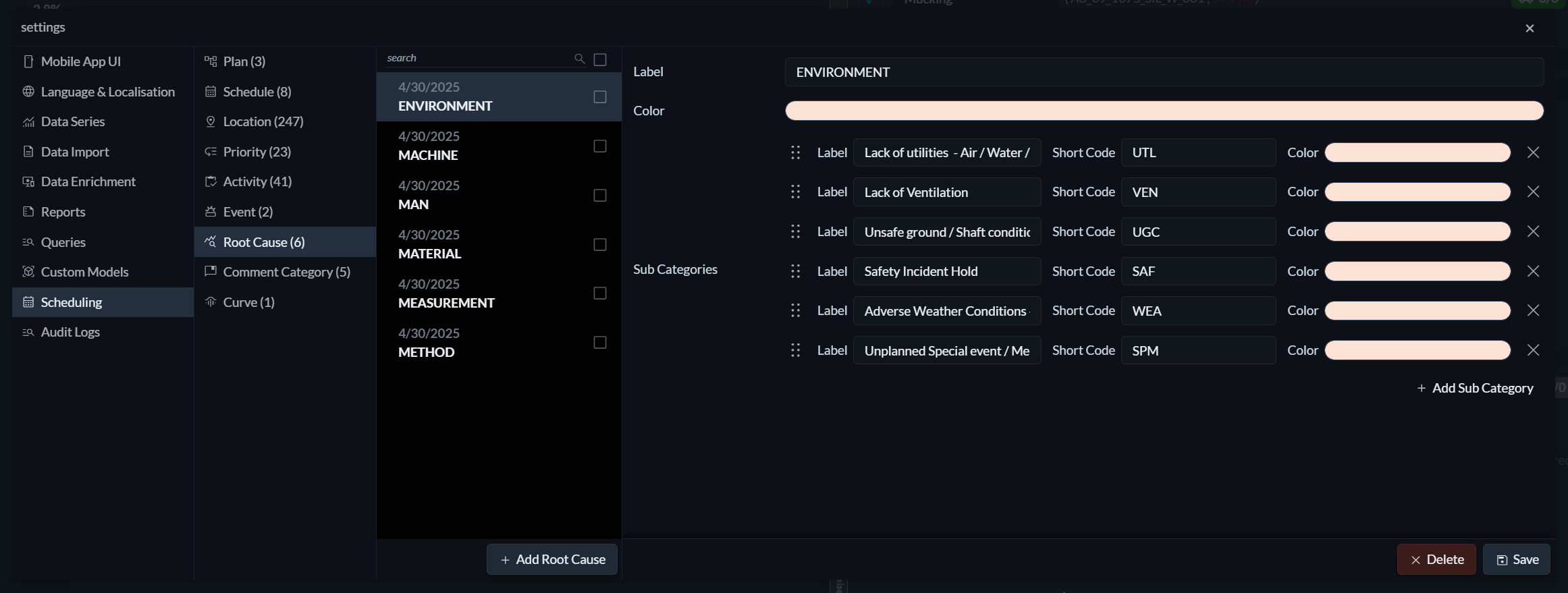
To create or edit root causes, open the Settings menu (the three horizontal lines on the right) and navigate to Scheduling → Root Cause.
Root causes are organised into two levels: categories and subcategories. For each category, you define a label and a colour. For each subcategory, you define a label, a colour, and a short code.
 The short code is displayed in the timeline when the root cause is assigned, allowing issues to be identified at a glance.
Assigning root causes
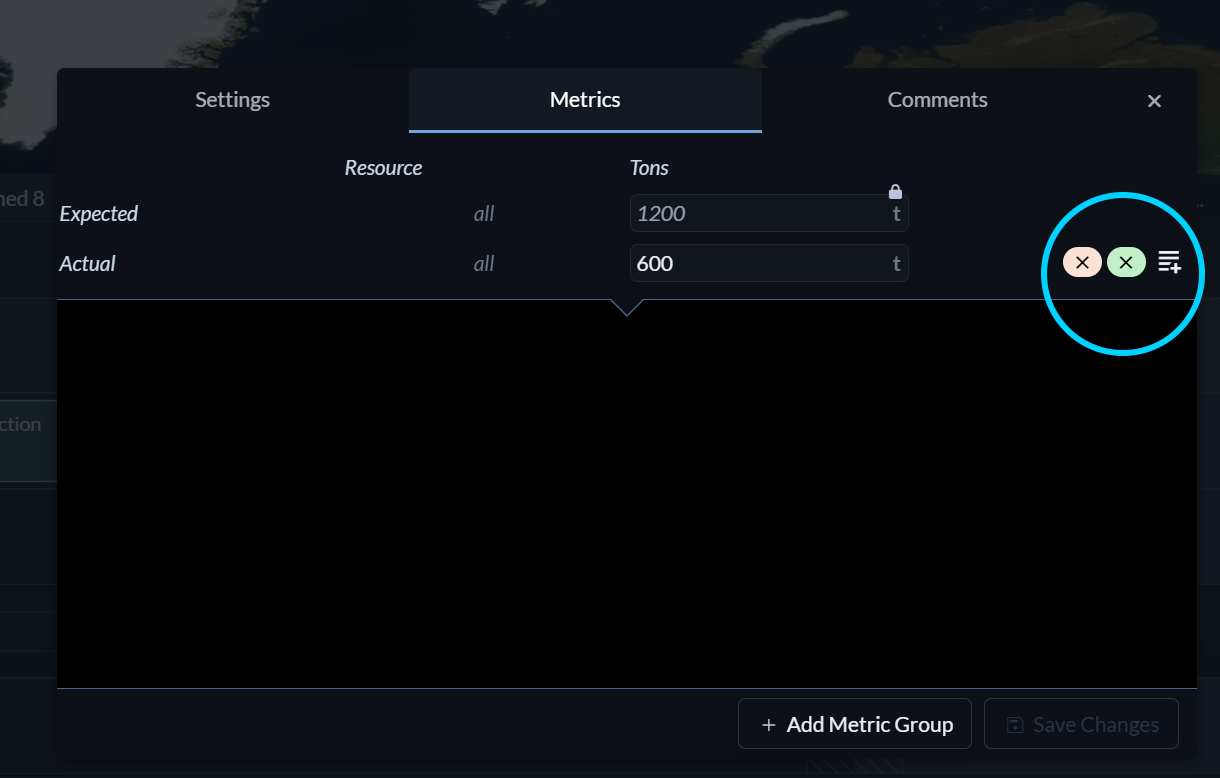 Root causes can be assigned at the task level to describe issues affecting the task as a whole. When metric groups are used—for example, individual haul trips by specific trucks—root causes can also be assigned at the metric group level to capture more granular causes.
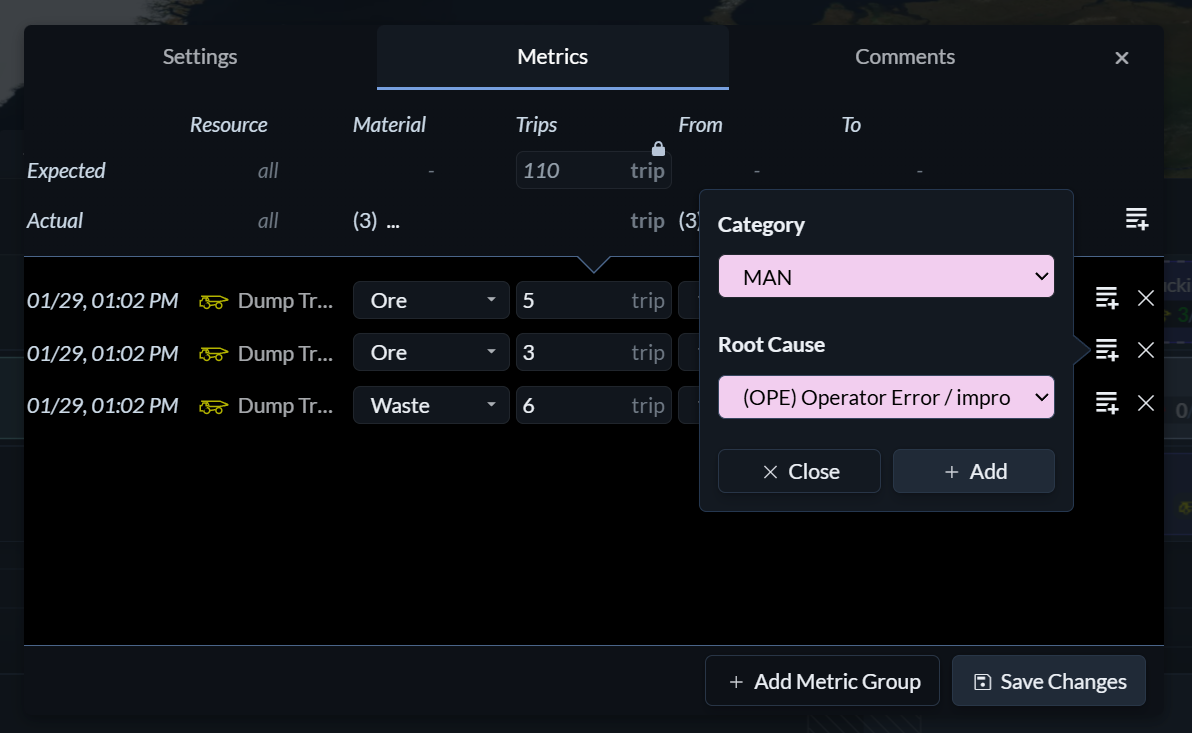 To assign a root cause, click the Add Root Cause icon (the horizontal lines with the plus sign) to the right of a metric entry or metric group row.
Analysing root causes
Root cause analysis in Hivekit is performed through custom queries. This allows you to correlate root causes with metrics, tasks, schedules, and budgets, and to extract exactly the insights you need to understand where performance is lost and how to address it.